


Board Beta
Moodboards for each room, with your own images and products from the spec sheet. Same project, same file.
What it does today
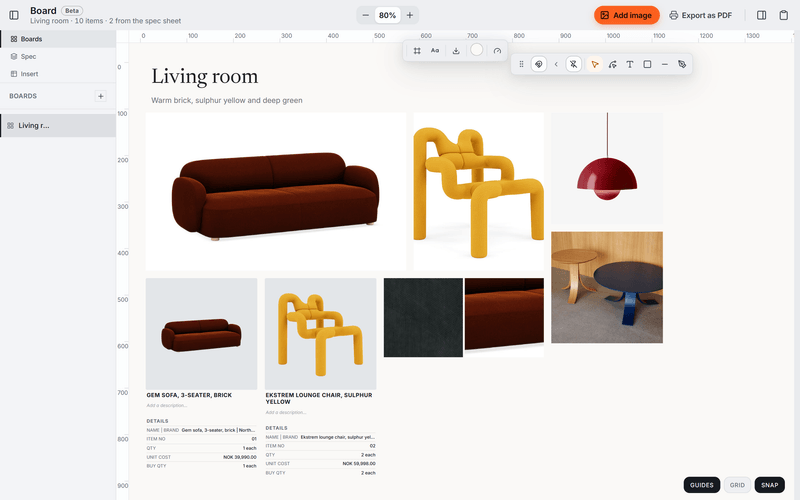
- Lay out a board with your own images, text, shapes, lines and curved paths, with rulers, snapping and zoom.
- Bring products in from the spec sheet with Send to board, or drag them from the side panel, as cards with picture, name, quantity and price.
- Draw frames at paper sizes from A4 to A1 and export them as a PDF, one page per frame.
With the spec sheet
One product, two places.
Choose Send to board on a row in the spec sheet and the product lands on the board with its picture, name and price. The board and the sheet live in the same project file.
About the spec sheetOther tools
- Plans
Drawings with product pins and quantities.
- Versions
A grid of renders and drawings, with a status and price for each version.
- Permits
Building applications: forms, markup and deadlines. Deadlines also show on the Desk.
- Tasks
Task lists for the project. Your tasks also show on the Desk.
- Schedule
A timeline of phases, deliveries and deadlines.
Board comes with Tinn.
Free like everything else. Download Tinn, then switch Board on in Settings, Tools.