


Permits Beta
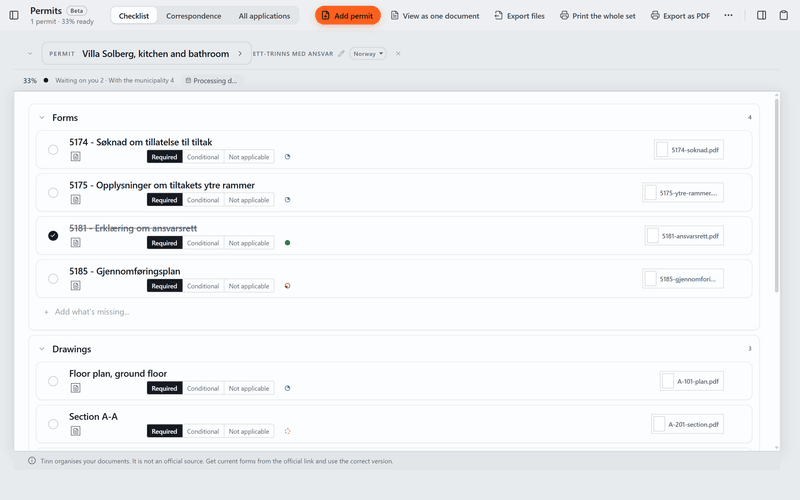
Keep the forms, drawings and deadlines for each building application together, and fill in and mark up the PDFs in Tinn.
It works anywhere. The ready-made forms and deadline rules come from Norway, where Tinn started.
What it does today
- Keep each building application as a checklist of forms and drawings, start from a list of standard forms where Tinn has one, and export the whole set to a folder in order.
- Fill in a PDF's form fields in Tinn and mark it up with text, lines, stamps and your signature.
- Enter the key dates of an application and Tinn works out the next deadline, which also shows on your Desk.
The paperwork, in the same file.
Permits sits in the same project as the spec sheet, so the application's drawings and documents are next to the products they describe. Its deadlines also show on your Desk.
About the spec sheetOther tools
- Board
Moodboards for each room, with images and products from the spec sheet.
- Plans
Drawings with product pins and quantities.
- Versions
A grid of renders and drawings, with a status and price for each version.
- Tasks
Task lists for the project. Your tasks also show on the Desk.
- Schedule
A timeline of phases, deliveries and deadlines.
Permits comes with Tinn.
Free like everything else. Download Tinn, then switch Permits on in Settings, Tools.