


Plans Beta
Bring in the floor plan, pin products from the spec sheet onto it, and let Tinn count them.
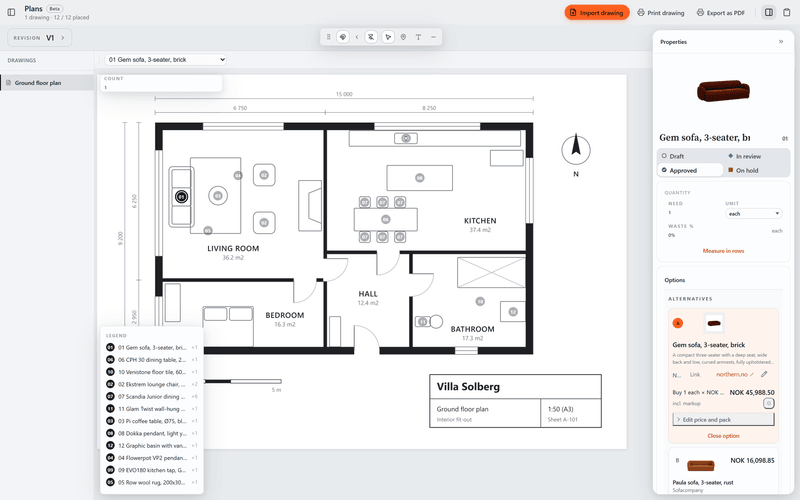
What it does today
- Import a floor plan or facade as an image or a PDF with several pages, and keep revisions of your drawings.
- Pin products from the spec sheet onto the drawing, and the number of pins becomes the product's quantity unless you type your own.
- Add text and lines, then print the page with its pins and a legend that names the product behind each pin.
With the spec sheet
Every pin is a product.
A pin points at a row in the spec sheet. Plans counts the pins for each product, so you can check the quantities in the sheet against the drawing.
About the spec sheetOther tools
- Board
Moodboards for each room, with images and products from the spec sheet.
- Versions
A grid of renders and drawings, with a status and price for each version.
- Permits
Building applications: forms, markup and deadlines. Deadlines also show on the Desk.
- Tasks
Task lists for the project. Your tasks also show on the Desk.
- Schedule
A timeline of phases, deliveries and deadlines.
Plans comes with Tinn.
Free like everything else. Download Tinn, then switch Plans on in Settings, Tools.