


Schedule Beta
A timeline of phases, deliveries and deadlines, so you can see when each part of the project lands.
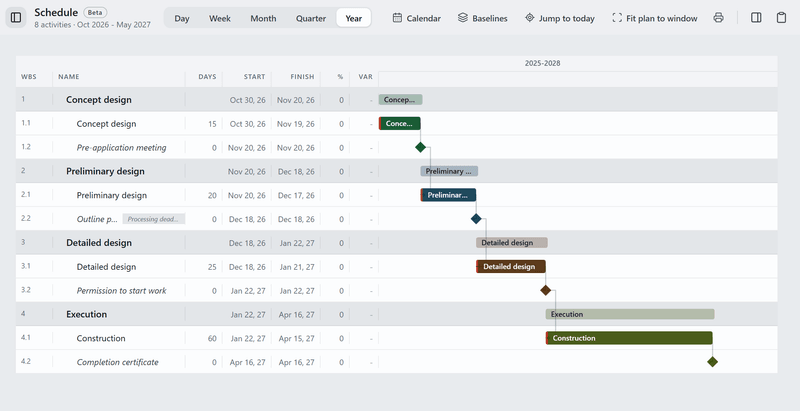
What it does today
- Build the plan from phases, activities and milestones, or start from a fit-out or permit template, and drag bars to move or stretch them.
- Link activities so one waits for another, and Tinn marks the critical path: the work that moves the finish date if it slips.
- Save baselines to compare against, set your working week and holidays, and print the programme or save it as a PDF.
With the spec sheet
When it all arrives.
The Schedule sits in the same project as the sheet. Add orders, deliveries and site work as activities, and compare with a saved baseline to see what has slipped.
About the spec sheetOther tools
- Board
Moodboards for each room, with images and products from the spec sheet.
- Plans
Drawings with product pins and quantities.
- Versions
A grid of renders and drawings, with a status and price for each version.
- Permits
Building applications: forms, markup and deadlines. Deadlines also show on the Desk.
- Tasks
Task lists for the project. Your tasks also show on the Desk.
Schedule comes with Tinn.
Free like everything else. Download Tinn, then switch Schedule on in Settings, Tools.